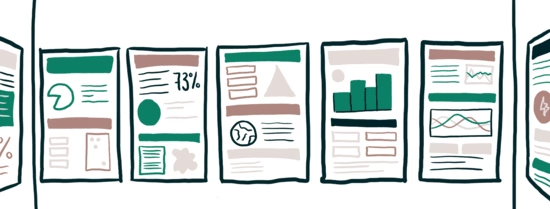
Students design a visual poster and briefly present it to an audience (teacher/peers/externals). You can use this method when you want evidence of students’ ability to synthesize, visualise, and communicate findings, designs, or proposals, especially in research projects.
- Purpose of assessment
- Analysis | Application | Creation | Skills | Understanding
- Mode of assessment
- Digital | Paper-based | Presentation
- Assessment environment
- Non-secure setting | On campus
- Group size
- Small | Medium
- Assessment duration
- Long | Multi-day
- Composition
- Group work | Individual | Pairs
Step-by-step plan
Step 1: From learning objective to assessment:
Determine whether the chosen from of assessment matches the knowledge and/or skills you aim to measure, as described in your learning objective.
Step 2: Assessment matrix
Define the assessment matrix and determine how they are distributed across the learning objectives. Ensure the distribution aligns with the weighting in your assessment plan. Indicate how many points each criterion is worth. Make sure the cognitive level of each criterion matches the level of the corresponding learning objective, never exceeding it. Lower-level criteria are allowed, as long as they still measure the intended learning outcomes.
Step 3: Create the rubric
Develop a grading rubric (e.g., analytic, holistic, single-point) that translates assessment criteria into observable performance aligned with the learning objectives. For example: content accuracy, relevance, structure, storyline, visual design, and used sources. What course outcomes should this assess (e.g., synthesis of literature, application to a case, data visualization, oral defense)?
Besides these, criteria make clear what the citation style is, how tables and sources should be presented and what image/AI disclosure rules apply.
Choose the authentic task & audience: who is the intented audience students should present their poster for? What scenario fits (conference poster, stakeholder pitch, public exhibition)? And of course, what is the purpose: inform, propose solutions, report findings etc.
Define both criteria to assess the poster and the pitch/presentation.
Step 4: Design the assignment
Based on the decisions made in the previous step: write clear and transparant instructions for both the poster and the pitch/presentation.
Include the following:
- Determine the size (e.g., A1/A0) or digital specs (resolution, file type), word limit, required sections, data expectations and accessibility requirements (minim front sizes, plain language etc.)
- Specify what the poster must demonstrate (e.g., research question, method, results, implications) and who the targetted audience will be.
Make sure the instructions and grading criteria are aligned.
Think about feedback options for students to get on their poster. For example; peer feedback on a draft version of their poster.
Step 5: Prepare your students
Share examples of posters. Share the rubric with students. Emphasize or even teach the essentials, such as lay-out (titles, headings), visuals (graphs, images), colour/contrast, and accessible typography. Clarify the upload deadline, assign a time slot/pitch length (e.g., 2-3 min + 2 min Q&A), and plan a gallery walk layout. Moreover, make clear how the presentations will be conducted (e.g. in class versus in small groups), what they need to prepare and what you expect from them.
Step 6: Assessment & feedback
Decide who assesses and how many raters: teachers, teachers + peers, external clients? In case of multiple assessors, plan a pre-calibration session beforehand.
Display posters (physical or digital), let students deliver the pitch and assess the posters with a rubric.
Step 7: Reflection & Evaluation
Evaluate whether the method was effective in targeting the learning objectives and determine what could be adjusted for future cohorts.
Validity
- Align poster sections to outcomes. Require audience-appropriate communication as an explicit criterion if that is an outcome.
Reliability
- Mark 2–3 sample posters together before the session. Standardise the Q&A: same pitch time and a small bank of neutral probe questions.
Practicality
- Strictly time the pitches (e.g., 2–3 min).
Engagement with (Gen)AI
- Require an AI usage statement listing tools and prompts and emphasize that students remain responsible for accuracy and citations.If visuals are AI-generated, require labelling and sources.
Inclusion
- Encourage culturally responsive examples and allow bilingual titles where relevant to audience.
Research poster + 3-minute pitch
- Classic.
Process poster
- Focus on decisions, iterations, failures/learning.
Design/engineering poster + demo
- Include prototype photos or QR to short demo video.
Infographic poster
- Stakeholder-friendly, emphasising key messages and visuals.
Peer-review carousel
- Students score 3–5 posters with a light rubric; counts formatively.
Conference-style e-poster
- One widescreen slide presented on monitors; timed slideshow loop.
Andere varianten
- Je kunt verschillende varianten van een presentatie toetsvorm vinden op TestEUR.

